eBay Fee and Profit Calculator
Price each sale with a clear view of final value fees, costs, and the profit left for your business.
Decision summary
Platform fees are calculated from your current inputs; extra costs are shown separately.
Sale composition
Color customization
Optional extra costs
These adjust profit only; they do not change the platform-fee authority.
Planning boundary
Use this as a local planning estimate. Verify current fees, taxes, advertising, and overhead before making a pricing decision.
How the fee estimate works
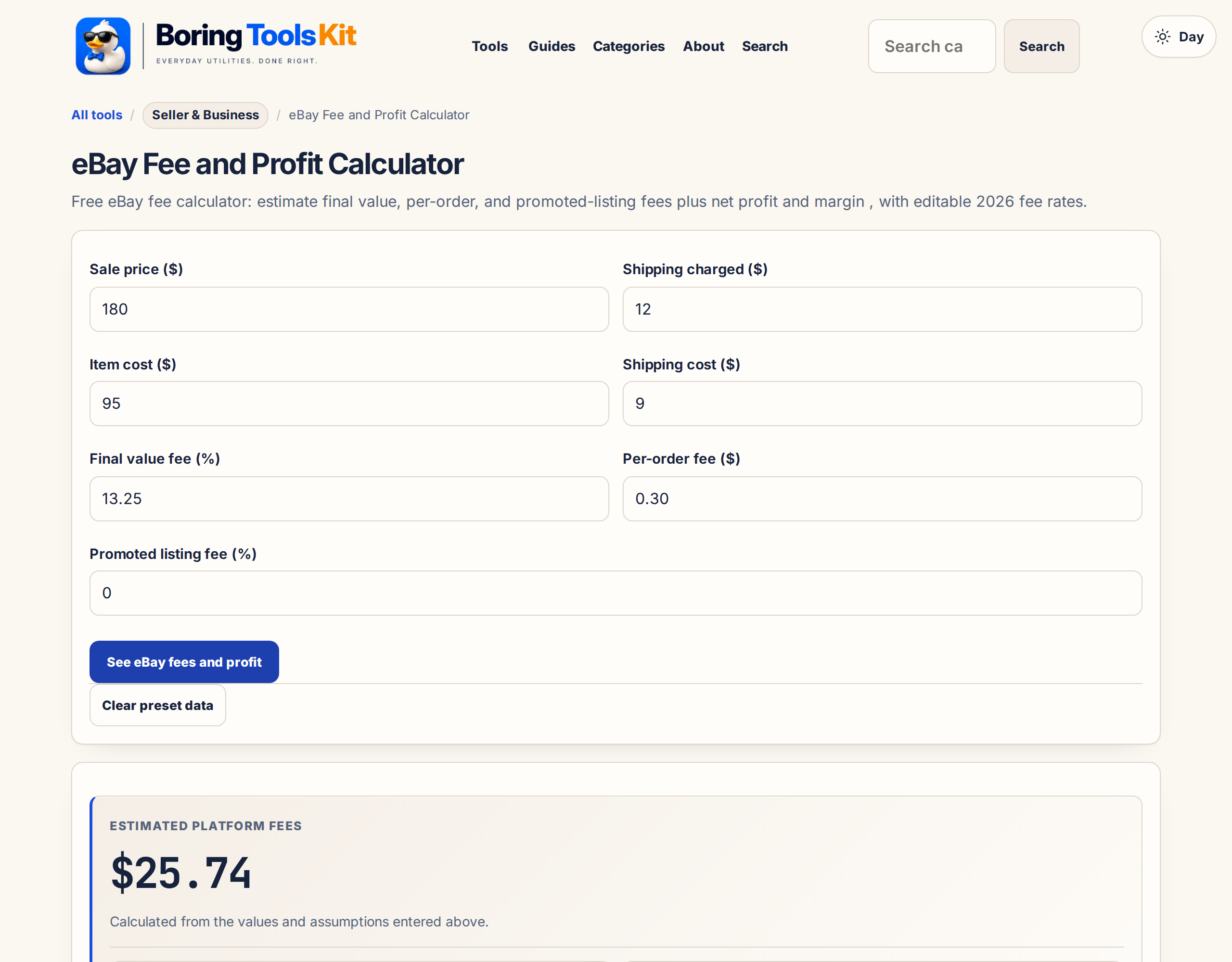
Platform fees use the editable final value fee, per-order fee, and optional promoted-listing rate shown above, applied to the sale total (item price plus shipping charged). Item cost and your shipping cost are deducted after platform fees. Results are planning estimates; eBay category rates and terms can change.
(most categories, below threshold)
(optional ad rate)
(most sellers, monthly)
Typical 2026 eBay final value fees from eBay Help - Selling fees. Verify your category rate before pricing.
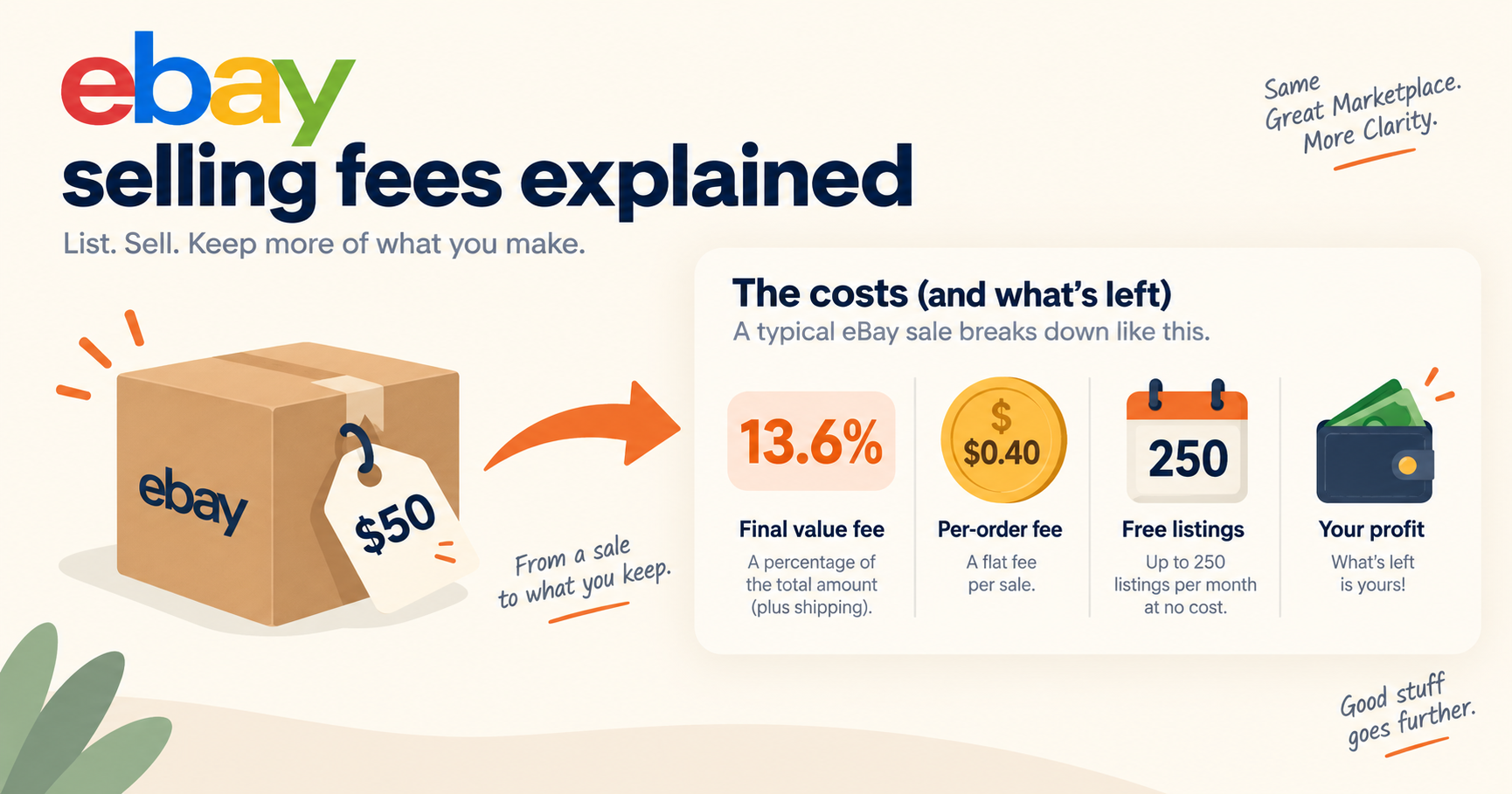
What eBay charges sellers — eBay sellers pay a final value fee on the total sale amount including shipping, commonly 13.25% for most categories up to the per-order threshold, plus a $0.30 per-order fee. Optional promoted-listing ad rates add 2% or more of the sale. Use this eBay fee calculator to see how final value fees and costs split a sale before you list.
Planning estimate only. Platform fees, taxes, payment costs, and policies can change; verify current terms before pricing.
Confirm live fee policies before you publish or revise a price.
eBay Selling FeesShare or save this tool
Sharing uses the page URL only—not your inputs or results.
More options
What does this calculator estimate?
Under this calculator's tiered final value fee model, eBay fees combine a percentage of item price, shipping charged and sales tax with a fixed order fee, plus any entered promotion, international and insertion fees. Its shipped most-categories preset uses 13.6% up to $7,500, then 2.35%, plus $0.40 per order; these are model settings, not a universal current quote. On a hypothetical $100 sale with no shipping, tax or optional fees, eBay takes $14.00 and you receive $86.00 before inventory and fulfillment costs, leaving $41.00 profit after a $45.00 item cost.
- The final value fee and international fee use item price plus shipping charged plus entered sales tax; the promotion calculation uses item price plus shipping charged, without tax.
- You receive is before your inventory, postage and other costs. Profit deducts those costs; margin divides profit by item price plus shipping charged, not by the tax-inclusive fee base.
- Category presets overwrite the primary rate, threshold, tier rate and fixed fee. Select custom to retain manually entered values.
- The displayed break-even shortcut ignores shipping revenue, sales tax, promotion, international charges and upper tiers. Recalculate the full sale to test a proposed price.
- Fee assumptions reviewed October 2026 against the shipped formula. Official eBay selling-fee and Store-fee schedules are linked below for checking the actual category and account.
Start with the amount you keep, not the buyer total
A buyer's payment is not your profit. This tool separates the tax-inclusive amount used for fees from the sale proceeds available to you. Enter item price, shipping charged and tax collected separately. Enter the inventory purchase cost, actual shipping cost and any other direct expense in their own fields. Tax collected enters the final value fee base but never becomes seller revenue in this model. That distinction matters when an order receipt looks larger than the money you can actually spend.
The inputs also include category, primary fee rate, tier threshold, upper-tier rate, fixed order fee, international rate, promoted rate and insertion fee. The outputs show the fee base, final value fee, each applicable optional charge, total fees, proceeds after fees, profit, margin and a simplified break-even figure. Choose the category before making manual adjustments: selecting a preset replaces the rate, threshold, tier rate and fixed fee. Use custom when your account's actual terms differ.
The presets are the shipped formula's assumptions, whose embedded rate note is dated September 2026. They are not a live lookup of your listing or account. Check the official eBay schedules linked below before accepting an offer. In particular, the fixed fee in the selected preset does not automatically change with order size, so an order that qualifies for different terms needs a manual adjustment.
Worked flip: inventory cost and postage decide the profit
Consider a hypothetical sourced item priced at $100, with $10 charged for shipping and $8 sales tax collected. You paid $35 for the item, spend $8 on shipping and enter $2 of other costs for packing materials. Select the most-categories preset and leave promotion, international and insertion charges at zero. These are scenario inputs, not an advertised eBay offer or an observed seller result.
The executed formula uses a $118.00 fee base. It displays a $16.05 final value fee and a $0.40 fixed fee, totaling $16.45 in eBay fees. The seller receives $93.55 before personal costs. Deducting the $45.00 combined inventory, shipping and other costs leaves $48.55 profit and a 44.1% margin on item price plus shipping. The formula calculates at full precision and formats displayed amounts afterward, so do not round every intermediate operation before comparing results.
For a one-off flip, acquisition cost is the amount you actually paid, including a sensible allocation of a job lot. An item from your own cupboard can have no new cash purchase outlay but still have an original cost or tax basis. Those are different questions. This calculator estimates sale economics using the cost you enter; it does not determine taxable profit or value the time spent photographing, cleaning and listing. Put any labor allowance you want to recover into other cost rather than silently treating your time as free.
Promoted listings: measure the fee on an attributed sale
Repeat that same flip with only the promoted rate changed to a hypothetical 5%. The shipped model applies promotion to the $100 item price plus $10 shipping, not to the entered tax. Node execution displays a $5.50 promotion charge, $21.95 total fees and $88.05 received. After the same $45.00 direct costs, profit is $43.05 and margin is 39.1%. This is a separate worked scenario, with identical inventory and fulfillment assumptions so that the promotion effect is visible.
Do not read that scenario as a promise of more sales. The tool charges the entered percentage on the modeled order; it does not predict traffic, click conversion, attribution or incremental demand. It also does not simulate a click-priced advertising campaign. Confirm your campaign's actual billing basis before using this field, because a percentage of sale proceeds is not interchangeable with a budget spent on clicks that may never convert.
For replenishable stock, compare the promoted scenario with an unpromoted sale at the same price and with a lower-priced unpromoted offer. Look at the cash contribution left to buy replacement inventory, not just the headline margin. A faster sale can be useful when cash is tied up in stock, but the calculator cannot tell whether advertising caused that sale. Use your own campaign reports to decide which orders should carry an advertising allocation.
Shipping-label savings and free-shipping offers
Shipping charged is revenue; shipping cost is an expense. Buying a cheaper suitable label changes the expense, not the buyer payment already agreed. In the unpromoted flip, changing shipping cost from $8 to a hypothetical $6 leaves the fee base and eBay fees unchanged. The executed result still shows $93.55 received, but direct costs fall to $43.00, profit rises to $50.55 and margin becomes 46%. This is a cost scenario, not a claim about an available carrier discount.
Check packed dimensions, weight, destination, insurance needs and tracking requirements before using a cheaper label assumption. Packaging belongs in other cost unless already included in your shipping expense. If an expensive box is necessary to prevent damage, removing its cost from the estimate improves the spreadsheet without improving the business. Return shipping and damage risk need a separate allowance if you want the estimate to cover them.
A free-shipping listing still has a shipping expense. Enter no buyer shipping charge and retain the actual label cost. If you move the same charge into item price, the buyer's pretax total is unchanged, and this model's percentage fee bases are unchanged as well. Free shipping therefore does not automatically eliminate fees on the money used to pay postage. Compare complete offers, not the label attached to the shipping line.
Repeat resellers and Store sellers: allocate the overhead
A reseller needs enough contribution from each order to replace stock and cover operating costs. Use other cost for a per-order allocation of expenses you want the sale to carry, such as storage, packing supplies or a subscription. Avoid counting the same expense in both shipping cost and other cost. If your accounting already includes inbound freight in inventory cost, do not add it again as a separate order expense.
The formula includes a most-categories Store preset, but selecting it is not proof that your subscription or category qualifies. With the same unpromoted flip inputs, this shipped preset uses a 12.7% primary rate and displays $14.99 final value fee, $15.39 total fees, $94.61 received and $49.61 profit, with a 45.1% margin. These are calculated preset comparisons reviewed October 2026, not a claim that every Store receives those terms.
A Store plan decision needs more than that order comparison. Subscription payments continue when sales slow, and listings may incur expenses without producing orders. Allocate actual account costs over a realistic sales volume, then compare the resulting profit with the non-Store scenario. The insertion-fee field is a manual amount for this calculation, not an automatic tracker of monthly allowances or listing renewals. Check the official Store schedule for eligibility, category differences and account-specific charges.
Break-even pricing and international orders need a full rerun
Treat the displayed break-even output as a limited shortcut, not an all-in minimum offer. The code divides item cost plus shipping cost plus other cost plus fixed and insertion fees by one minus the primary fee rate. It does not subtract shipping revenue, include tax-driven fees, include promotion or international charges, or solve across tiers. Its label mentions unchanged shipping, but the actual shortcut does not account for shipping charged. The safer procedure is to enter a proposed item price and inspect the full profit output.
The simple scenario in the answer above uses a $100 item, $45 inventory cost and no shipping, tax, promotion, international, insertion or other expense. The formula displays $14.00 fees, $86.00 received, $41.00 profit and 41% margin. Its break-even shortcut shows $52.55. Once additional charges or shipping revenue enter the order, do not reuse that shortcut as an exact offer floor. Rerun the complete calculation and allow for the precision of displayed cents.
International sales require the same care. The international-rate input applies an entered percentage to item price, shipping charged and tax collected. It does not infer seller registration country, buyer address, currency conversion, program eligibility or customs treatment. Leave the rate at zero only when that reflects the order you are modeling. Add relevant direct costs separately and check the applicable eBay account terms rather than importing a domestic assumption into a cross-border sale.
For high-value orders, verify the threshold and upper-tier rate as well as the primary percentage. This code applies the upper rate only when the total exceeds a positive threshold and the upper rate is positive; otherwise it applies the primary percentage throughout. Refunds, returns, fee credits and payout adjustments are not simulated. Reconcile the estimate with an actual completed-order statement before using it to price an entire batch of stock.
How this calculator works
Formula
Fee base = item price + shipping charged + sales tax. Final value fee = base times primary rate, or threshold times primary rate + excess times tier rate when the threshold and tier rate are positive. Total fees = final value fee + fixed order fee + base times international rate + (item price + shipping charged) times promoted rate + insertion fee. You receive = item price + shipping charged - total fees. Profit = you receive - item cost - shipping cost - other cost. Margin = profit / (item price + shipping charged) times 100.
Worked example
Node execution of the shipped formula: most-categories preset; item $100, buyer shipping $10, sales tax $8, item cost $35, shipping cost $8 and other cost $2. With promotion, international and insertion fees set to zero, the fee base is $118.00, final value fee $16.05, fixed fee $0.40, total fees $16.45, you receive $93.55, profit $48.55 and margin 44.1%. With only the promoted rate changed to a hypothetical 5%, promotion costs $5.50, total fees become $21.95, you receive $88.05, profit becomes $43.05 and margin 39.1%.
Assumptions to verify
- USD single-order estimate using the shipped US-oriented category presets, reviewed October 2026; verify the actual category, seller eligibility and fee schedule before pricing.
- Item price must be positive. All scenario shipping, tax, cost and optional fee inputs are hypothetical, explicitly entered amounts, not marketplace statistics.
- Sales tax collected contributes to the final value and international fee bases but is excluded from seller revenue. Promoted fees use item price plus shipping charged only.
- Preset fixed fees are not automatically adjusted for order size. Select custom to match a different fixed fee or fee schedule.
- Other cost is a manual allowance for expenses such as packaging, overhead or subscription allocation; nothing is allocated automatically.
- Break-even is a primary-rate shortcut, not a complete solution with shipping revenue, taxes, promotion, international fees or tier transitions.
- No automatic handling of returns, refunds, fee credits, currency conversion, customs charges, tax liability or advertising attribution. Displayed monetary values are rounded after calculation.
Frequently asked questions
Does eBay charge fees on shipping and sales tax?
In this model, both shipping charged and entered sales tax are included in the final value fee base. Tax does not become seller revenue. The promotion field instead uses item price plus shipping charged without tax, so check that this matches the campaign you are modeling.
Why is the amount I receive higher than my profit?
You receive deducts eBay fees from item price plus shipping charged. Profit then subtracts inventory cost, actual shipping cost and other cost. Neither output is a bank payout reconciliation: account adjustments, refunds and reserves are outside this model.
Can I use my own category rates?
Yes. Choose custom before entering the primary rate, threshold, tier rate and fixed fee. A category preset overwrites those fields. Match the actual listing and account terms against the official schedule rather than assuming a preset fits every product in a broad category.
Does a cheaper shipping label lower eBay fees?
Not when item price, buyer shipping charge and tax stay the same. It lowers your expense and increases profit. In the worked unpromoted scenario, replacing an $8 label with a hypothetical $6 label changes profit from $48.55 to $50.55 while total eBay fees remain $16.45.
Is the displayed break-even item price exact?
Only under the shortcut assumptions described above. It omits shipping revenue, tax-related fees, promotion, international charges and tier transitions. Test an actual proposed price through the full calculation and inspect profit before deciding your minimum acceptable offer.
Does this include Store subscriptions, returns and international costs?
There is no automatic subscription allocation or return model. Add a relevant expense allowance to other cost and enter any applicable international percentage. Currency conversion, refunds and fee credits need separate reconciliation. The Store preset changes fee settings but does not add a subscription bill.
Cite this tool
BoringToolsKit. “eBay Fee and Profit Calculator.” boringtoolskit.com/ebay-fee-profit-calculator/ (reviewed October 2026). Free to reference in articles, syllabi, and answer posts with a link.
Privacy: Inputs and results stay in this browser. Any future sponsored recommendation or advertisement will be clearly labeled and kept separate from the calculation.